Brightmark
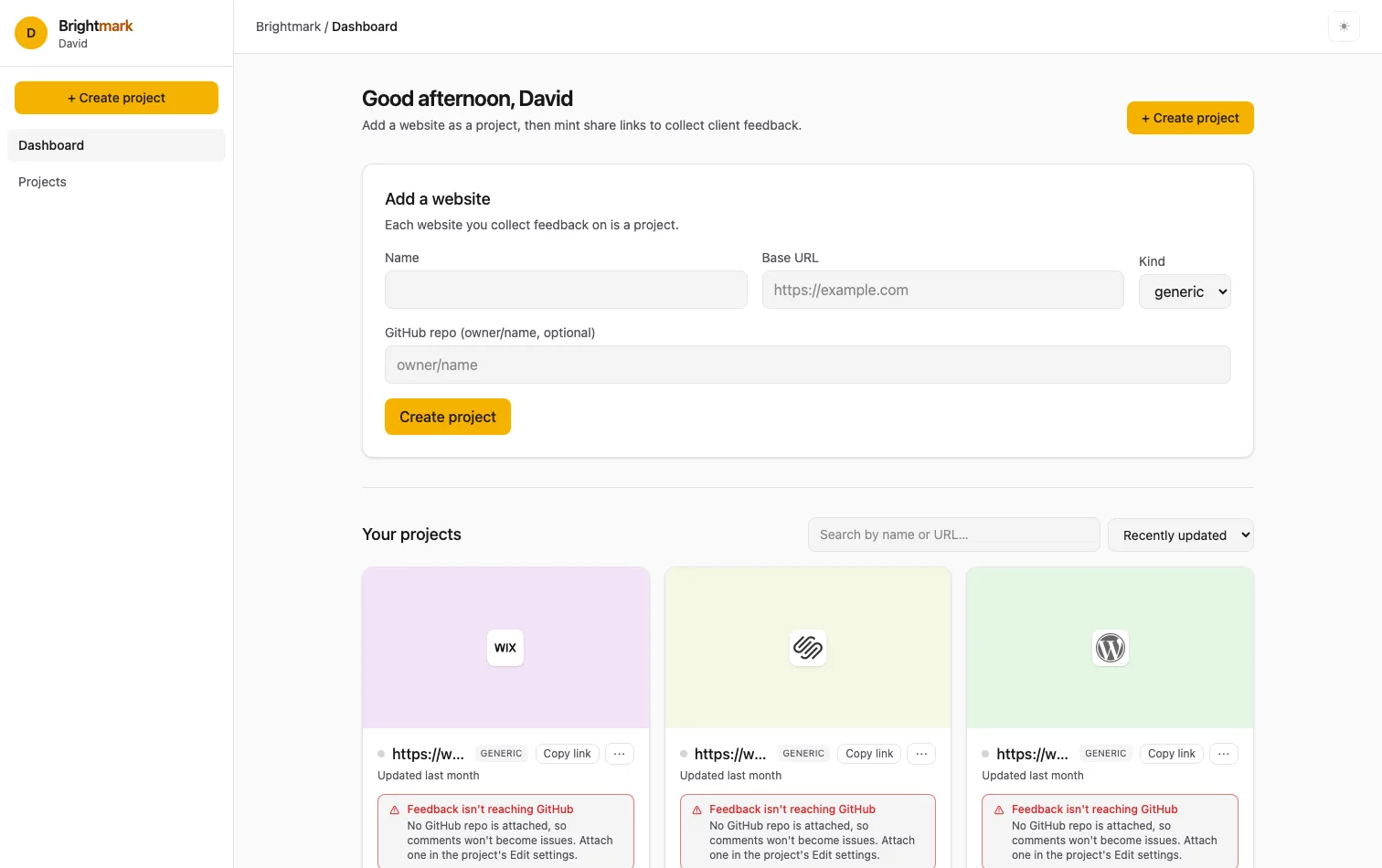
Our own product: a visual website-feedback tool that turns a client's click into an AI-ready work order.
- Client
- Our own product
- Location
- Richmond, Michigan
- What we built
- Visual website feedback · full-stack product · AI handoff
- Stack
- FastAPI · Astro + Preact · FastMCP
“The button on the about page”
Brightmark is the tool we built to collect feedback on the websites we make. A client points at anything on their live site, no login required, and the note arrives pinned to the exact element.
Website feedback usually arrives as a guessing game: a long email, a screenshot with a red arrow, “the button on the about page looks off” when there are three buttons on the about page. Brightmark removes the guessing by binding every comment to the exact spot in the page. The client didn’t describe it; they pointed at it.
From a click to a work order
A client clicks the thing they mean, and the note lands on that element, not near it. Each pin becomes a work order that carries its own address: the element, the page and the screen it was seen on.
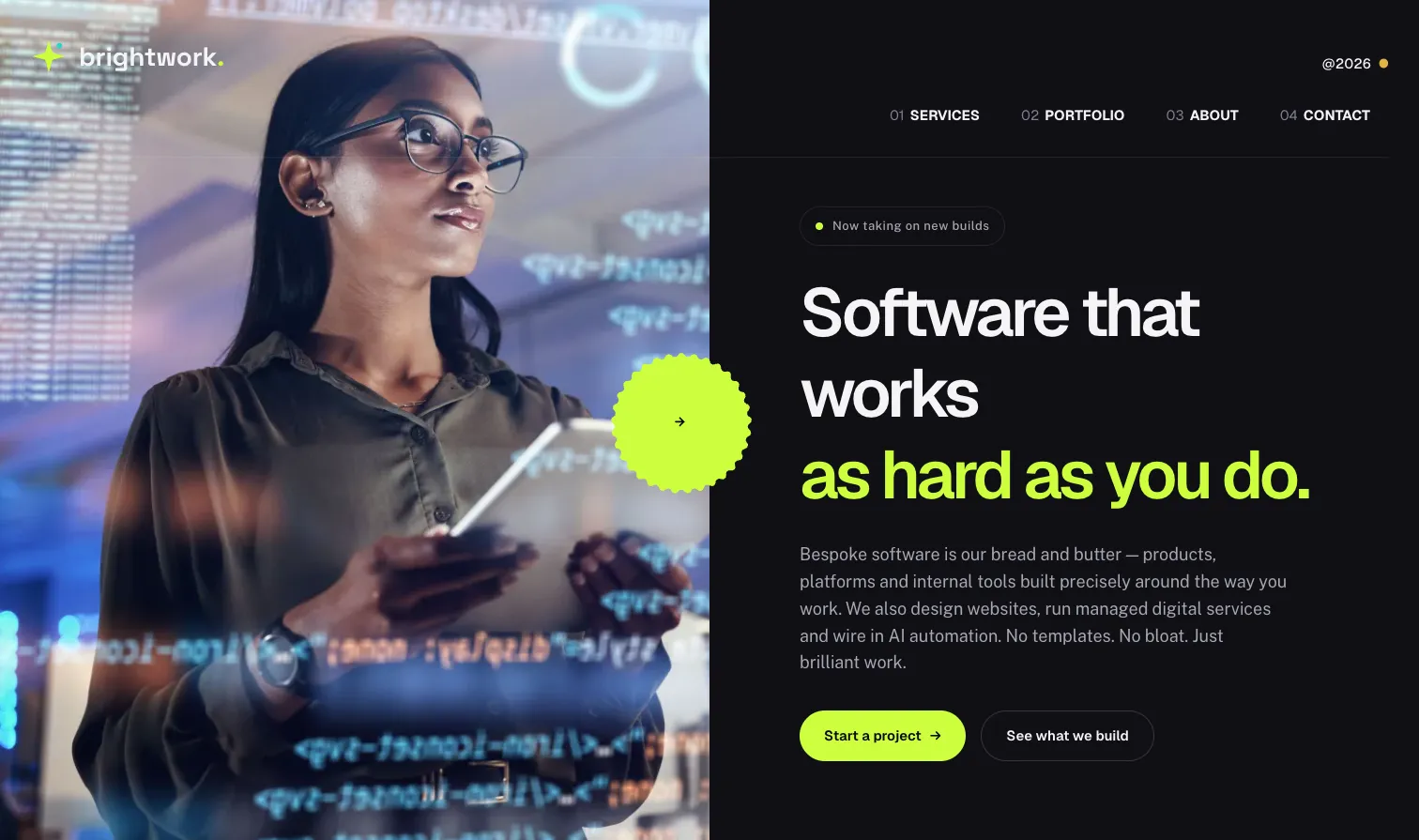
A real capture of our previous home page with the three comments left on it in Brightmark. Point at, tap or tab to a pin.
Work order · example Pin 1 of 3
This secondary button is easy to miss against the dark background. Can we add a subtle border?
- Element
.hero-btn--ghost- Text snippet
- See what we build
- Page
- brightworkdigital.co/
- Viewport
- Desktop, 1512 × 895
- Severity
- minor
- Status
- In review
- Anchor
- anchored
Work order · example Pin 2 of 3
This headline is great. Could the second line be a touch bigger on desktop so it dominates a bit more?
- Element
.hero-accent- Text snippet
- as hard as you do.
- Page
- brightworkdigital.co/
- Viewport
- Desktop, 1512 × 895
- Severity
- minor
- Status
- Open
- Anchor
- anchored
Work order · example Pin 3 of 3
Can we make this button a little bigger and change it to say “Get a quote”? “Start a project” feels like a big commitment this early.
- Element
.hero-btn--primary- Text snippet
- Start a project →
- Page
- brightworkdigital.co/
- Viewport
- Desktop, 1512 × 895
- Severity
- major
- Status
- In progress
- Anchor
- anchored
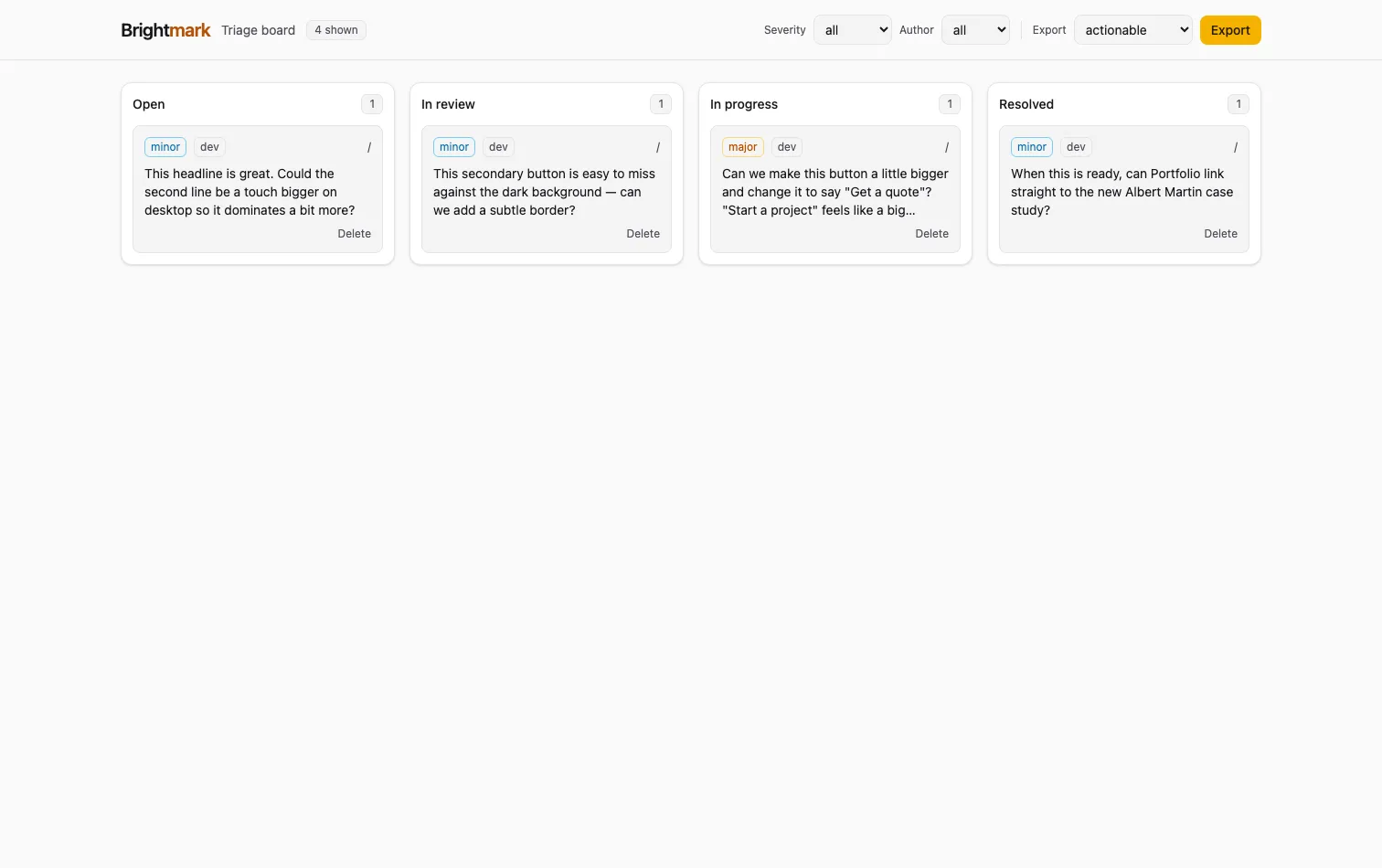
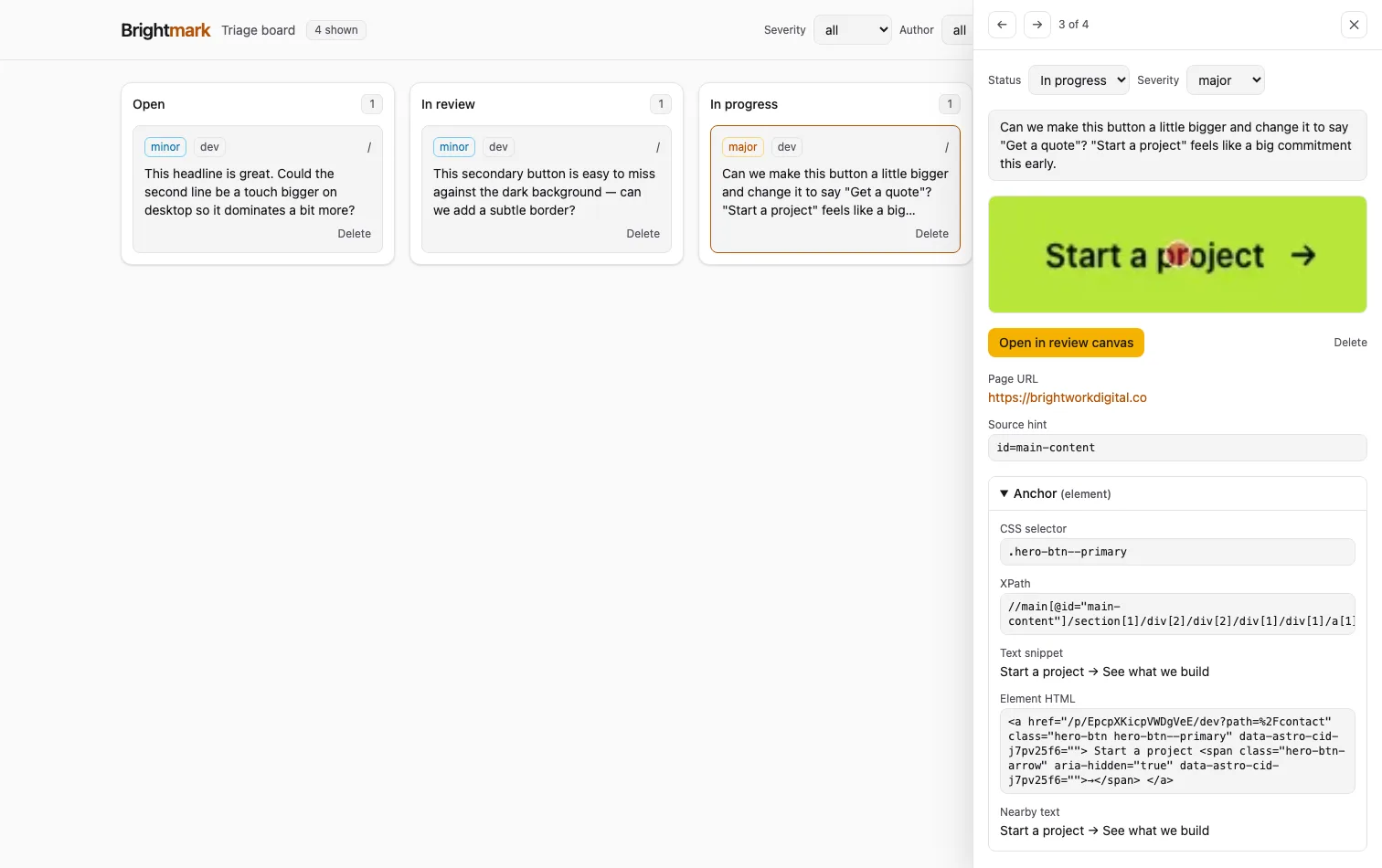
Hand the fix to an AI agent
A pin is precise about where; a fix also needs to know what was happening. So the in-page agent captures, per comment, the context a developer would otherwise reconstruct: console errors, failed or slow requests, browser, OS and viewport, and a trail of what the client did. It is redacted in the browser before anything leaves the page, then scrubbed again on the server.
A Model Context Protocol server exposes each comment as a work order
through four tools, so any MCP-capable coding agent can pull the exact anchor and context
for one item, make the fix and mark it done. Work orders also export as a
WORKORDER.md bundle, screenshots included.
How this shows up for clients
Giving feedback is effortless: no login, just click the thing you mean. Nothing gets lost, because the element and the context travel with every note. And fixes come quickly, because that precise location goes straight to the people doing the work. Brightmark is desktop-only by design, and works best on static and server-rendered sites; heavy single-page apps are out of scope for now.
For engineersAnchors, the proxy, GitHub sync and the MCP safety model
The anchor. The selector comes from @medv/finder, tuned
to reject build churn (Astro scope classes, CSS-module and emotion hashes) and prefer
data-*, role and aria-label. The XPath is
anchored to the nearest stable ancestor; the text snippet carries about 30 characters
of context. Pins re-resolve in that order on load, device toggle, resize and view
transitions, reporting anchored, fuzzy or lost.
The proxy. The target renders through a same-origin proxy that
rewrites every asset URL, which makes its DOM readable and lets snapdom
screenshot elements without tainting the canvas. An SSRF guard validates the share
token, resolves DNS per request, blocks private ranges, allow-lists the project host
and pins the resolved IP. Everything is noindex.
GitHub. Issue creation is debounced and deduplicated, one comment to
one issue, and labeled source:brightmark plus severity:*. A
signed webhook mirrors close, reopen and delete back onto the comment. With no repo
and token set, the integration is off.
MCP. Four tools (project_summary,
list_work_orders, get_work_order,
update_work_order) are the whole surface, authorized by a scoped, hashed
bmpat_… token with revocation and expiry. Errors return as data, and
comment text is treated as untrusted input, never as an instruction.
Stack. FastAPI and SQLModel on SQLite; an Astro + Preact dashboard with Tailwind CSS v4; a vanilla-TypeScript in-page agent bundled with esbuild; FastMCP over stdio; a Hetzner VPS behind Caddy, with Doppler for secrets.
This is how our website clients give feedback: point at anything, say what you mean, and it reaches us pinned to the exact spot.
Brightmark is an internal Brightwork product, not a public sign-up. It lives behind an operator login at brightmark.brightworkdigital.co (opens in a new tab), so rather than send you to a login wall, we’d rather just show it to you. Want to see it on your own site? Let’s talk.